GitHub Copilot vs Claude Code: how they differ in practice
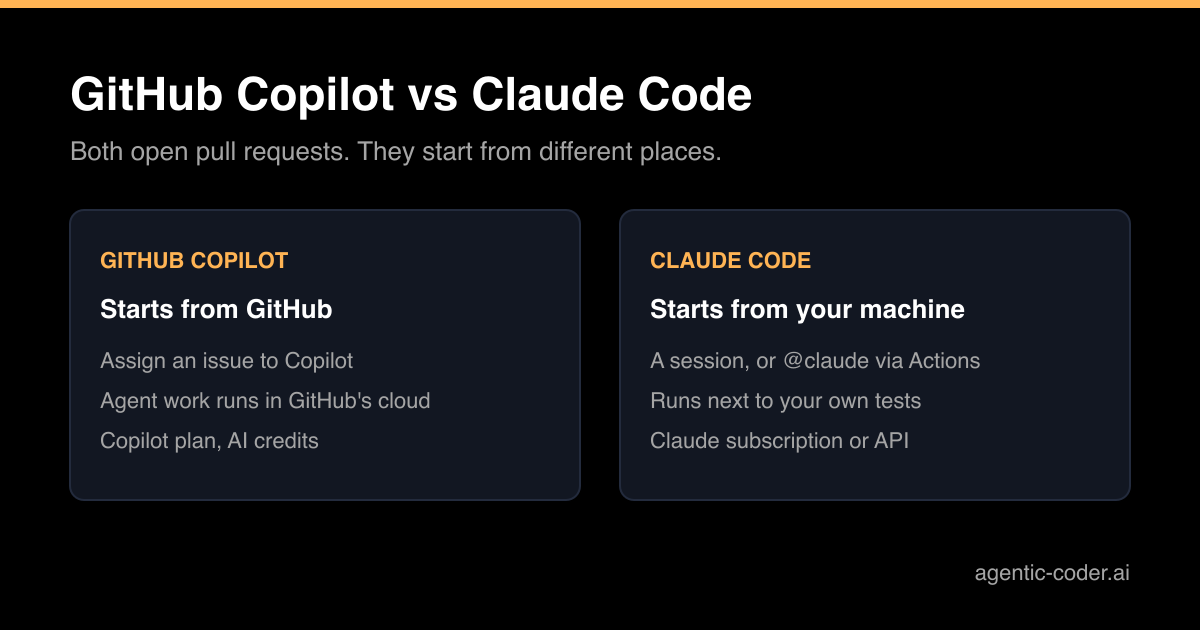
Sooner or later someone on the team asks it: should we use GitHub Copilot or Claude Code? Both can read an issue, change the code and open a pull request, so on a feature list they look alike. The real differences are in where the work runs, how it gets started and how you pay for it. This article compares the two on those points, based on each vendor's own documentation.
What each tool is
GitHub Copilot is GitHub's AI assistant. It lives in your editor, on github.com and in a terminal tool, the Copilot CLI. The part that matters for this comparison is the agent that works in the cloud: you hand it a task and it researches the repository, makes the change and opens a pull request.
Claude Code is Anthropic's agentic coding tool. It reads your codebase, edits files and runs commands. It runs in the terminal, in VS Code and JetBrains IDEs, in a desktop app and in the browser, and it works with git directly.
A comparison that helps me: Copilot is a colleague who sits inside GitHub, Claude Code is a colleague who sits at your desk and can also be sent to the cloud.
Where the work happens
With Copilot, agent work on github.com runs on GitHub's infrastructure, either on GitHub Actions or in a cloud sandbox. GitHub's documentation lists a maximum of 59 minutes for a session on GitHub Actions, and such a session works in a single repository.
Claude Code runs on your machine by default, next to your files, your tools and a test environment that already works. You can also start cloud sessions from the web, or run Claude Code inside GitHub Actions with the Claude Code GitHub Action.
This difference matters more than it looks. An agent that can run your real test suite can fix what it breaks before you review it. If your tests need a database and other services, a machine where they already run is a big advantage. If they set up quickly on a clean machine, a cloud runner is fine.
How work gets started
Copilot's strongest feature is that it is part of GitHub. You open an issue, click Assignees and select Copilot. According to GitHub's documentation, assigning an issue always creates a pull request, and Copilot requests your review when it is done. It reads the issue as it stands at that moment, so later comments belong on the pull request.
Claude Code starts from a prompt: you open a session and describe the task, or point it at an issue. To start work from GitHub itself, you install the Claude Code GitHub Action and mention @claude in an issue or pull request comment.
For a team where not everyone uses a terminal, Copilot's assign button is the lower barrier.
Billing
Both vendors change their pricing, so I will not quote amounts. The models differ, though:
- Copilot is part of a Copilot plan. Agent sessions consume AI credits based on the model and the tokens used, and work on GitHub Actions also uses Actions minutes.
- Claude Code uses a Claude subscription or an API account. With a subscription you work within its usage limits; with an API key you pay per token.
Check both pricing pages against how much work you expect to hand over.
You do not always have to choose
GitHub's documentation lists Anthropic's Claude as a third-party coding agent for paid Copilot plans. That means a team on Copilot can assign work to Claude inside GitHub, billed through Copilot with AI credits and Actions minutes. If your team is already on GitHub Copilot and wants Claude, that is worth trying before you add a second subscription.
The reverse also holds: Claude Code can read an AGENTS.md file instead of a CLAUDE.md, so one instruction file in the repository can serve more than one agent.
Side by side
| GitHub Copilot | Claude Code | |
|---|---|---|
| Where it runs | Editor, github.com, CLI; agent work in GitHub's cloud | Terminal, IDE, desktop app, web; mainly your machine |
| Start from an issue | Assign the issue to Copilot | @claude via the GitHub Action, or a local session |
| Billing | Copilot plan, AI credits, Actions minutes | Claude subscription or API account |
| Model choice | Several models, including third-party agents | Anthropic's Claude models |
Which one fits
Copilot fits best when your team works in GitHub all day and wants to hand off issues with a click, without anyone installing a tool. Claude Code fits best when developers want the agent next to their own environment, in the terminal or editor they already use.
There is a third pattern: run the agent on your own machine or server, but start the work from GitHub. That is what agentic-coder does. You label an issue agent, it plans and implements the change with the Claude CLI you already have, runs the checks and opens a pull request. See how it works if that sounds like your setup.
Conclusion
GitHub Copilot and Claude Code overlap a lot, but they start from different places: Copilot from GitHub, Claude Code from your own machine. Pick the one that matches where your team works and where your tests run. And whichever you choose, keep the rule from why human review stays the merge gate: the agent opens the pull request, a person decides what merges. More detail on each product is in the GitHub Copilot documentation and the Claude Code documentation.
Frequently asked questions
Can GitHub Copilot use Claude?
Yes. GitHub lists Anthropic's Claude as a third-party coding agent that paid Copilot plans can use, subject to the plan's policy settings. Those sessions use AI credits and GitHub Actions minutes.
Can Claude Code open pull requests on GitHub?
Yes. Claude Code works with git directly, and with the GitHub CLI or the Claude Code GitHub Action it can push a branch and open a pull request.
Which one is cheaper?
That depends on how much you use it and which plan you are on, and both vendors change their pricing. Compare the current pricing pages against your own usage rather than relying on a comparison article.
Do I have to pick one for the whole team?
No. Both can work on the same repository, as long as everything ends in a pull request that a person reviews. Keep project instructions in the repository so every agent reads the same rules.