Keeping secrets away from an AI coding agent
Suppose you point an AI coding agent at a repository and, a few minutes later, a pull request appears. It looks fine. Then you notice that the new test config contains a real API key, copied from a file you forgot was sitting in the project folder. Nothing malicious happened. The agent saw a value, needed one, and used it. This article is about making sure that situation cannot arise in the first place.
The agent works where you work
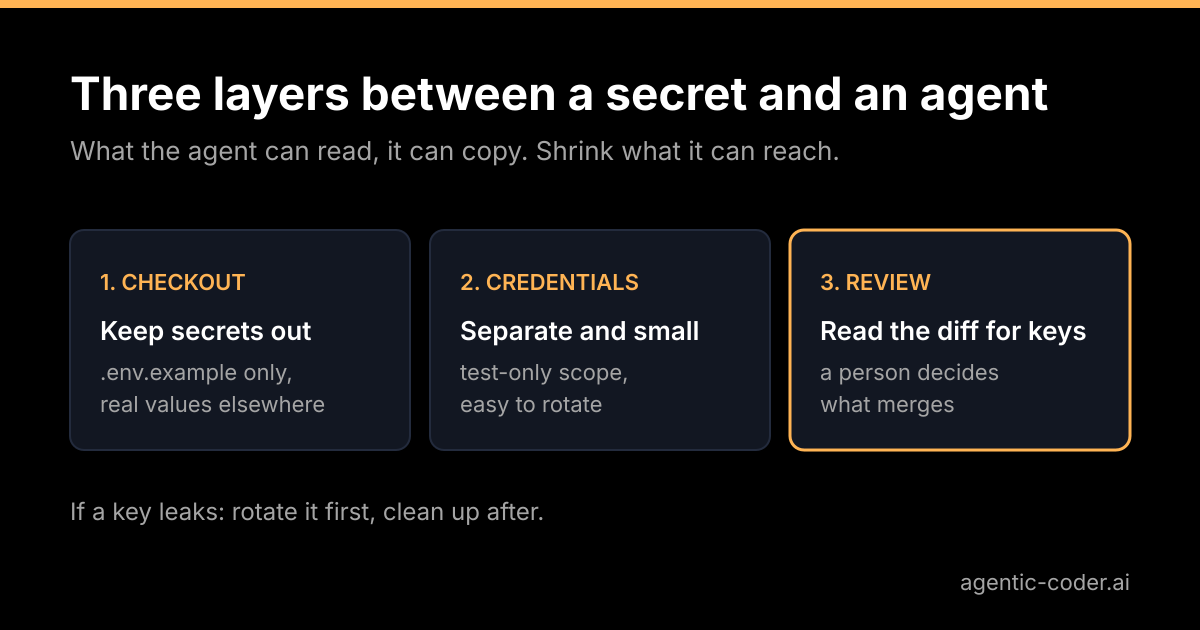
A coding agent that runs on your machine or on a server usually has the same view of the checkout that you do. It can open files, run the test suite and read environment variables that the process inherits. That is what makes it useful, and it is also the whole threat model in one sentence: what the agent can read, it can also copy.
The copying is rarely dramatic. A value may end up in a test fixture, a debug statement, a commit message or the description of the pull request. Usually the cause is not bad intent but a convenient shortcut. So the goal is not to distrust the agent, it is to leave nothing lying around that a shortcut could pick up.
Layer one: keep secrets out of the checkout
The safest secret is one that is not in the working directory.
- Keep real values outside the repository. Load them from your shell, a secrets manager or the CI settings, not from a file inside the project.
- Commit an example file. A
.env.examplewith placeholder values documents which variables exist without containing any real ones. - **Use a
.gitignoreentry for local files,** but do not rely on it alone. It only affects files git is not yet tracking. If.envwas committed once, adding it to.gitignorelater changes nothing for that file. You have to stop tracking it withgit rm --cached .env, and the old versions remain in the history.
That last point is the one people trip over. Deleting a secret from the latest commit does not remove it from earlier ones.
Layer two: give the agent its own credentials
Even with a clean checkout, the agent's tests may need to talk to something: a database, a third-party API, a staging service. Do not hand over your own credentials for that. Create dedicated ones.
- Separate identity. A service account or a token created just for this purpose, so you can see its use and revoke it without breaking anything else.
- Least privilege. Read-only where read-only is enough, and a scope limited to the test environment.
- No production access. For routine issues, production data should not be reachable from the place the agent runs. If a test needs realistic data, use a copy that holds no real personal information.
- Easy to rotate. If rotating the key is a five-minute job, you will actually do it when in doubt.
This is the same principle you would apply to a new colleague on their first day. You would not give them the root password; you would give them what the task needs.
Layer three: read the diff for keys, too
When you review an agent's pull request, you probably read for logic: is this the right change, are the edge cases covered? Add a second pass for secrets. Look for:
- long random-looking strings in config, fixtures and test files;
- new environment variable names with values filled in;
- logging or print statements that output a request header, a token or a connection string;
- new files that were not asked for, such as dumps, exports or
.envcopies.
You do not have to do this only by eye. GitHub offers secret scanning and push protection for supported token types, described in the GitHub documentation on secret scanning. Scanners find known patterns, so they catch many leaks but not every one. A generic password in a config file may pass straight through. Treat them as a net under your review, not a replacement for it.
If a secret does leak
Order matters here.
- Rotate the credential first. Revoke it and issue a new one. From that moment the old value is useless, whoever has seen it.
- Then clean up. Remove the value from the branch, and from the history if you want to.
- Do not count on history rewriting. If the commit was pushed, someone or something may already have fetched it. A force push can hide it from the page without making it private again, which is why rotation comes before everything else.
- Look at where the value could have gone. A pull request description, a CI log and a comment are all places a string can be copied to.
Where agentic-coder fits
agentic-coder runs on your own machine, or on a server you set up, using the Claude CLI you already have, and its site states that it has no telemetry. That keeps your code and the run itself on infrastructure you control, which is a good start. It does not, on its own, decide what is lying around in your checkout, so the layers above still apply. You label an issue agent, you get a pull request, and nothing merges without human review. That review step is where the second pass for secrets belongs. You can see what the handoff looks like on the demo page.
Conclusion
An agent reaches what your checkout and your environment reach, so shrink both. Keep real secrets out of the repository, give the agent separate credentials with the smallest useful scope, and read each diff for keys as well as for logic. If something does leak, rotate first and clean up after. None of this is specific to AI; it is ordinary good practice that becomes more important when something works through your issues for you. If you want the wider argument for keeping a person at the merge gate, read why human review stays the merge gate.
Frequently asked questions
Is a .gitignore entry enough to protect a .env file?
It only keeps untracked files from being added by accident. If the file was committed earlier, it stays tracked and stays in the history until you remove it and rotate the secrets inside.
What should I do if a key ends up in a pull request?
Treat the key as compromised and rotate it first. Then remove it from the branch. Rewriting history can hide it from view, but anyone who already fetched the commit may still have it.
Should an agent ever get production credentials?
In my view, no. Test and development work should run against separate credentials with the smallest permissions that let the checks pass.
Can the agent print a secret into a log or a comment?
Yes, if the secret is readable by the process and the code or a test prints it. That is one more reason to keep real secrets out of the environment the agent runs in and to read the diff and the CI output.