How to write a GitHub issue an AI coding agent can execute
You know the ticket: "Fix the login bug." The person who wrote it knows which bug and what a fix looks like, but an agent may not. It can pick the most likely interpretation and deliver a clean pull request for a problem you did not have. This article is about writing issues for a reader who was not in the room.
Missing context is the risk
A teammate fills gaps with context: the stand-up last week, the customer email, the thing the product owner mentioned in passing. An AI coding agent has the issue, the repository and whatever the repository's own docs say, and it can explore the code to learn more. It does not have the conversations that never made it into writing.
In an unattended run, that gap tends to be filled with an assumption rather than a question, and the assumption may not be obvious until you read the plan or the diff closely. So the cheapest place to improve the result is the issue, before any code is written. If there are decisions you want a person to make, say so: "stop and ask if the schema would need to change" is a useful line in an issue.
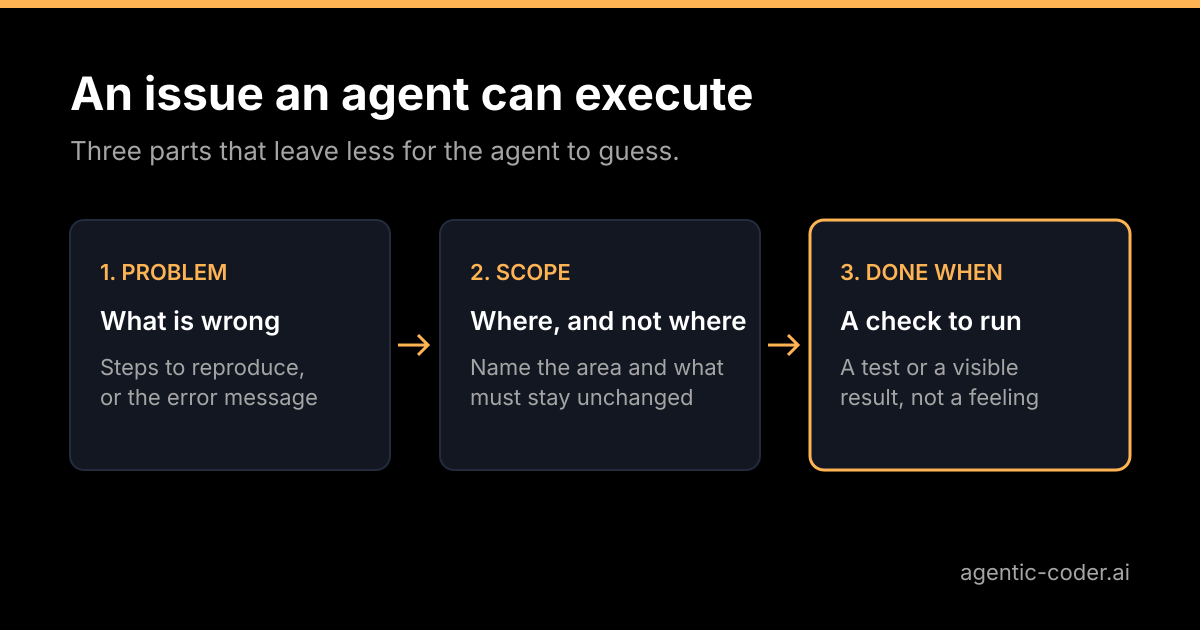
The three parts of a good issue
I keep a short structure in mind. It is not a template to enforce, just three questions to answer.
1. The problem
Describe what is wrong or missing, from the user's or system's point of view. Not "add a null check in parseUser", but "a profile page returns a 500 when the user has no display name". The first is a solution the agent has to trust; the second is a problem it can verify and then solve in the way that fits the code.
Include how to see it: the steps, the input or the error message. A reproduction is the single most useful thing you can add.
2. The scope
Say where the change belongs and, just as important, what must not change.
- Name the area: a module, a route, a component or a file path.
- Name the things to leave alone: "do not change the public API", "do not touch the migration files".
- Say if a refactor is welcome or not. Without that line, some agents will tidy things you did not ask about, and the diff grows.
A narrow scope keeps the pull request small, and a small pull request is easier for a person to review.
3. The done-when check
Make this line explicit. It states how anyone can tell the work is finished, in terms that can be checked.
- "A request to
/profile/42with no display name returns 200 and shows the username." - "The new test in
profile.testfails on the old code and passes on the new." - "
npm testpasses and the existing snapshot tests are unchanged."
A done-when line gives the agent something to run against. It also gives you something to check against during review. If you cannot write one, that is information: the ticket is still a discussion, not a task.
Before and after
Here is a hypothetical example, not taken from a real project. First, a ticket as it often arrives:
Fix the login bugAnd the same ticket rewritten:
Problem: users who sign in with an email address containing a capital
letter are told "unknown account", although they registered with it.
Steps: register as [email protected], sign out, sign in as [email protected].

Scope: the email lookup in the login handler. Do not change the
registration flow or the database schema.

Done when: signing in works regardless of the capitalisation used at
registration, a test covers it, and the existing auth tests still pass.
The second version takes a little longer to write. It removes three guesses: which bug, where to fix it and what counts as fixed. It also makes the review easier, because you know what to look for.
What to leave out
More text is not always better. A few things add noise.
- Long background stories. One sentence of context is useful; a history of the project is not.
- Pasted files. The agent can read the repository. Give paths, and paste only a short error message or call that pins the problem down.
- Several tasks in one issue. "Fix the bug and also update the docs and rename the helper" produces a broad pull request. Write three issues.
If a ticket is too big for one reviewable pull request, that is a sign to split it before an agent starts, not after.
Labels as a queue
Once issues are written like this, a label becomes a reasonable way to hand them over. In agentic-coder, labelling a GitHub issue agent starts the run: it classifies the issue, writes a plan, implements the change, runs the checks and opens a pull request that closes the issue. You review it and decide what merges.
That also gives you a useful habit. The moment before you add the label is the moment to read the issue once more as someone who has never seen the project. If it passes, label it. If not, fix the issue first; it is cheaper than fixing the pull request.
Conclusion
An agent's result depends heavily on the ticket it receives, because the ticket carries the context the agent cannot pick up elsewhere. State the problem and how to reproduce it, mark the scope and the things to leave alone, and write a done-when check that someone can verify. Keep each issue small enough for one pull request. The time you spend on the issue pays off in review, because you are checking a change you already described.
Frequently asked questions
How long should an issue for an AI coding agent be?
Long enough to remove guesses, and no longer. Cover the problem, where it lives, what is out of scope and how to tell it is done, and cut everything else.
Should I paste code into the issue?
Paste a short snippet when it pins down the problem, such as an error message or the failing call. Point to file paths for the rest, because the agent can read the repository itself.
What if the issue is too big for one pull request?
Split it into several issues that can each be reviewed on their own. A pull request that is easy to review is also one the agent is more likely to get right.
Do I need a different format for agents than for people?
Not really. An issue that a new teammate could act on without a conversation works for an agent too. The difference is that a run you are not watching may not stop to ask, so say in the issue when the agent should stop and ask instead of assuming.