Claude Code GitHub Actions vs running it on your own machine
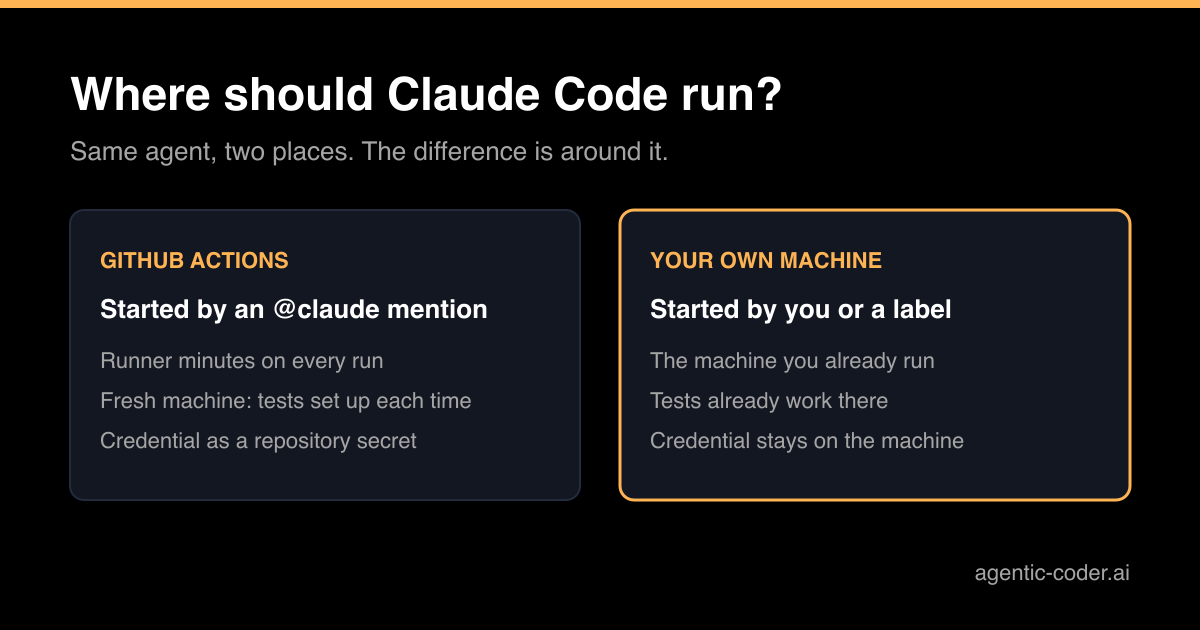
You want Claude Code to pick up work from GitHub without someone sitting next to it. There are two broad places to run it: inside GitHub Actions, or on a machine you control. Both can turn an issue into a pull request, but they differ in cost, in the environment the tests run in and in where your credentials live.
What Claude Code GitHub Actions does
Claude Code GitHub Actions is a workflow integration. You install the Claude GitHub App, store a credential as a repository secret and add a workflow file; the /install-github-app command in Claude Code does all three for you. After that, a comment that mentions @claude on an issue or pull request starts a run on a GitHub runner. Claude reads the request, works in a checkout of the repository and replies, pushes commits or opens a pull request.
You can also give the workflow a fixed prompt, so it runs on any GitHub event or on a schedule without a mention. The details are in the Claude Code GitHub Actions documentation.
What running it yourself looks like
The alternative is to run Claude Code on a machine you already have: your laptop, a workstation or a small server. Claude uses the GitHub CLI or a token to read the issue and push a branch, and the run happens next to the code and tools you already use.
On its own, that still needs someone to start the session. To make it hands-off you need something that watches GitHub and starts the work, such as a label or a queue.
Cost
GitHub Actions bills twice: runner minutes for the job, and model usage through an API key or your Claude subscription. Runner minutes on a private repository come out of your GitHub plan's allowance and are charged beyond it. For a handful of requests a week that is small. For an agent that picks up many issues a day, the minutes add up, and a long run uses more of them.
On your own machine the runner cost is the machine you already pay for. Model usage is the same story: an API key bills per token, a subscription does not.
The test environment
This is the difference I would look at first. A GitHub runner starts clean every time. If your tests need a database, a cache, a browser or a specific language version, the workflow has to install and start all of that before Claude can check its own work. Every run pays that setup again.
On a machine where the project already runs, the database is there, the dependencies are installed and the tests already pass. The agent can run them straight away. That makes a real difference to the quality of the pull request, because an agent that can run the tests can fix what it breaks before you see it. I wrote about that loop in CI as the agent's feedback loop.
Secrets and access
With GitHub Actions, the Claude credential lives as a repository or organization secret, and the Claude GitHub App gets the permissions it asks for on install. Those include reading and writing contents, issues and pull requests. Anyone with write access to the repository can start a run, which is the default and a sensible one.
On your own machine nothing new is stored in GitHub, but the agent can reach whatever that machine can reach. Running it on a separate server, with a GitHub token limited to the repositories it works on, keeps that in check.
How work gets started
GitHub Actions has the nicer trigger: anyone with write access can ask for work from an issue or pull request comment, without a terminal. That suits a team where not everyone uses Claude Code themselves.
A local setup needs a trigger of its own. This is the gap agentic-coder fills: it runs on your machine or headless on a server, watches your repositories, and picks up issues labelled agent. It uses the Claude CLI you already have, so there is no per-token bill and no runner minutes, and it ends in a pull request for review. The trade-off is that the machine has to be on. See how it works if that sounds like your setup.
Which one fits
| GitHub Actions | Your own machine or server | |
|---|---|---|
| Started by | An @claude mention or a workflow event | You, or a label watched by a tool |
| Runner cost | GitHub Actions minutes | The machine you already run |
| Test environment | Fresh each run, set up by the workflow | Already set up |
| Credential | Repository secret plus GitHub App | Stays on the machine |
Pick GitHub Actions when requests come from people who do not run Claude Code, when your tests set up quickly on a clean machine, or when you want to start with no infrastructure at all. Pick your own machine when the test environment is heavy, when you run many tasks, or when you prefer to keep credentials out of repository secrets.
Conclusion
Claude Code GitHub Actions is the quickest way to let a team request work from GitHub itself. Running Claude Code on your own machine or server gives the agent a test environment that already works and avoids runner minutes. The right choice depends on your tests and on who asks for the work. In both cases, the run should end in a pull request that a person reviews before it reaches main.
Frequently asked questions
Does Claude Code in GitHub Actions need an API key?
It needs a credential stored as a repository secret. That is either a Claude API key or a token from a Claude subscription, generated with claude setup-token.
Can anyone trigger Claude Code GitHub Actions on my repository?
By default only users with write access to the repository can trigger a run from an issue or pull request, and bots are rejected unless you allow them. Keep that default unless you have a clear reason to change it.
Why does my CI not run on commits made by the action?
GitHub does not trigger workflows on commits made with the default GITHUB_TOKEN. Let the action authenticate as the Claude GitHub App, or pass a different token, so your normal CI runs on its branch.
Is running locally safer than GitHub Actions?
Not by default. Locally the agent can reach whatever your machine can reach. It is safer only if you limit what that machine and its credentials can touch, just as you would limit a workflow's permissions.