How to connect Claude Code to GitHub: three ways compared
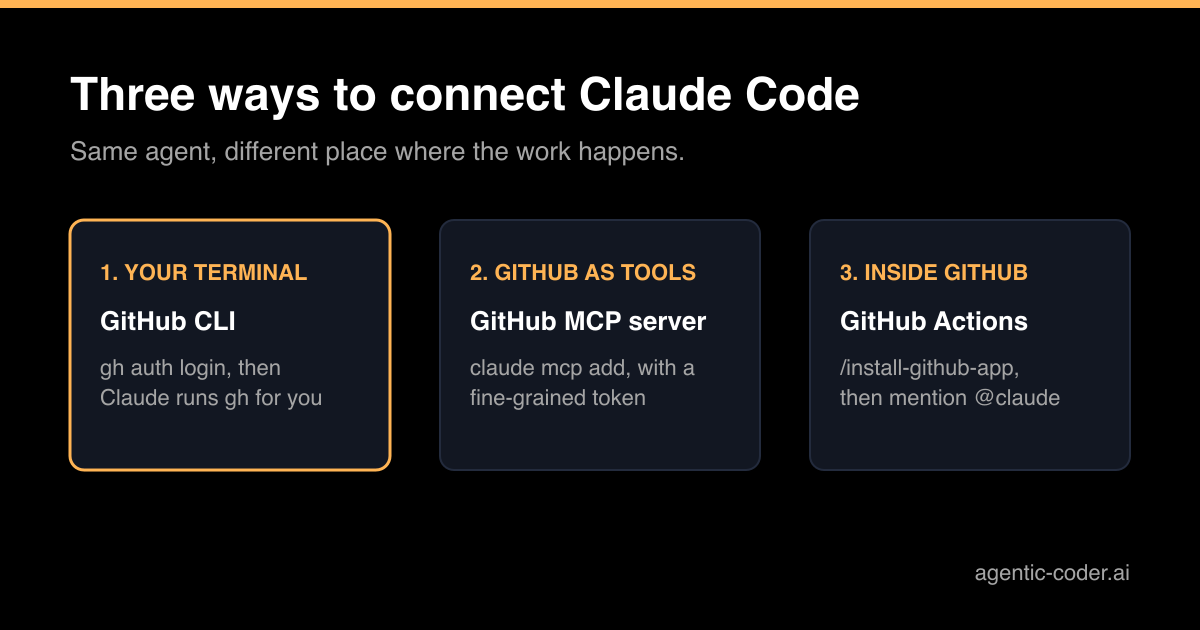
You have Claude Code running in a repository and the next step is obvious: let it read the issue, push a branch and open the pull request itself. There are three common ways to connect Claude Code to GitHub, and they are easy to mix up. This article explains what each one does, what it needs and when I would pick it.
Why the choice matters
All three give Claude access to GitHub, but they differ in where the work runs and which credential it uses. That decides what Claude can touch, who pays for the run and what happens when you are not watching.
Think of it as giving someone a key. You can hand over your own key for one job (the CLI), cut a key that only opens certain doors (the MCP server with a scoped token), or install a door that opens itself for anyone who asks in the right way (GitHub Actions).
Option 1: the GitHub CLI in your terminal
Claude Code works in your shell, so it can use any command line tool you have. The GitHub CLI is the simplest connection there is:
gh auth loginLog in once and Claude can run commands such as gh issue view 42 to read an issue, or gh pr create to open a pull request from the branch it worked on. Claude Code asks for permission before it runs a command, unless you have allowed that command in your settings.
What it needs: the GitHub CLI installed and logged in, and nothing else.
What to know: Claude acts with your own GitHub account and everything that account can do. On a personal machine that is usually fine. On a shared server I would use a separate account or a token with less access.
Option 2: the GitHub MCP server
The Model Context Protocol (MCP) lets Claude Code use external services as tools. GitHub publishes an MCP server that gives Claude structured tools for issues, pull requests, files and more, instead of shell commands it has to parse.
You add it with claude mcp add. For a remote server over HTTP with a personal access token, the command looks like this:
claude mcp add --transport http github SERVER_URL \
  --header "Authorization: Bearer YOUR_GITHUB_PAT"
Replace SERVER_URL with the current server URL from GitHub's MCP server documentation. Then run /mcp inside Claude Code and check that the server shows as connected. Claude Code saves the configuration without testing the token, so a typo only shows up there.
What it needs: a fine-grained personal access token. Limit it to the repositories Claude should work on and to the permissions the work requires, and give it an expiry date.
What to know: by default the server is configured for you in the current project only. With --scope project it is written to .mcp.json in the repository and shared with your team, so never put a real token in that file.
Option 3: GitHub Actions
This option runs Claude Code inside GitHub instead of on your machine. Someone mentions @claude in an issue or pull request comment, a workflow starts, and Claude replies, pushes commits or opens a pull request.
The quick setup runs from Claude Code itself:
/install-github-appIt installs the Claude GitHub App on the repository, stores a credential as a repository secret and opens a pull request with the workflow file. The credential is either an API key (ANTHROPIC_API_KEY) or a token from your Claude subscription (CLAUDE_CODE_OAUTH_TOKEN, generated with claude setup-token). You need admin access to the repository and a logged in GitHub CLI. The full steps are in the Claude Code GitHub Actions documentation.
What to know: every run uses GitHub Actions minutes as well as model usage. By default only people with write access to the repository can trigger a run, which is the right default. Keep it.
Which one to pick
| GitHub CLI | GitHub MCP server | GitHub Actions | |
|---|---|---|---|
| Where Claude runs | Your machine | Your machine | GitHub's runners |
| Credential | Your GitHub login | Fine-grained token | App plus repository secret |
| Started by | You, in the terminal | You, in the terminal | An @claude mention |
| Extra cost | None | None | Actions minutes |
My rule of thumb:
- Working on your own machine and watching the session? Start with the GitHub CLI.
- Want a token that can only reach certain repositories, or prefer structured tools over shell commands? Add the MCP server.
- Want people to request work from an issue without opening a terminal? Use GitHub Actions.
There is a fourth pattern that sits between these: running the agent on your own machine or server and letting a GitHub label act as the queue. That is what agentic-coder does. You label an issue agent, it plans and implements the change with the Claude CLI you already have, runs the checks and opens a pull request. No Actions minutes and no per-token bill, but it does need a machine that is switched on. See how it works if that fits your setup.
Whatever you choose, protect main
Connecting Claude to GitHub is the easy part. Deciding what may reach main is the part that matters. Turn on branch protection, require a pull request and a review, and let CI run on every branch the agent pushes. And remember that a vague issue gives a vague pull request, whichever connection you use. A clear issue is the cheapest fix.
Conclusion
The GitHub CLI is the quickest way to connect Claude Code to GitHub and covers most work in a terminal. The MCP server adds structured tools and a token you can limit. GitHub Actions moves the work into GitHub itself, at the cost of Actions minutes and a secret in the repository. Pick the smallest setup that does the job, and keep a person between the agent and main.
Frequently asked questions
Do I need an API key to connect Claude Code to GitHub?
Not for the GitHub CLI or the MCP server: those use your normal Claude Code login plus a GitHub credential. GitHub Actions needs a secret in the repository, either an API key or a token generated from your Claude subscription with claude setup-token.
Can Claude Code push straight to main?
It can push anywhere the credential you gave it can push. Protect your main branch on GitHub so that every change goes through a pull request and a review, and that question stops mattering.
Which GitHub token should I use for the MCP server?
A fine-grained personal access token, limited to the repositories Claude should see and to the permissions it needs. Give it an expiry date so a forgotten token does not stay valid forever.
Can I use more than one of these at the same time?
Yes. Many developers use the GitHub CLI for day-to-day work in the terminal and add GitHub Actions for requests made from an issue or pull request. Just keep track of which credentials exist and where.